
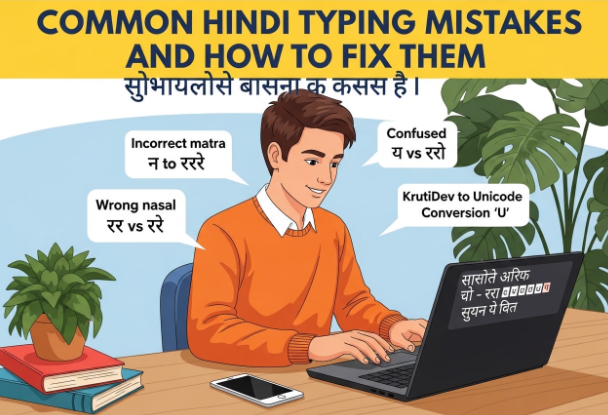
Hindi is the official language of India and one of the most spoken languages in the world. Millions of people type in Hindi every day for work, education, social media, and personal communication. Yet despite its widespread use, Hindi typing is full of small errors that many people make without even realizing it. These mistakes can make your writing look unprofessional, confuse readers, and even cause problems when your content is processed by search engines or digital tools.
Whether you are a beginner just learning to type in Hindi or a seasoned professional working with Hindi documents daily, this guide will walk you through the most common Hindi typing mistakes and, more importantly, how to fix them.
1. Confusing Similar-Looking Characters
The Mistake
Hindi has several characters that look almost identical to each other, especially for new typists. Some of the most commonly confused pairs include:
- ण (na with a dot) and न (simple na)
- श (sha) and ष (sha with a retroflex sound)
- स (sa) and ष (sha)
- ढ and ड
Typing the wrong character from a similar-looking pair is one of the most frequent errors in Hindi typing. It changes the meaning of words and makes text grammatically incorrect.
How to Fix It
The best way to avoid this mistake is to learn the phonetic differences between similar characters, not just their visual appearance. Each of these characters represents a distinct sound in Hindi. Practicing with a good Hindi typing tutor or keyboard layout guide can help you build the muscle memory to distinguish them. Reading Hindi literature regularly also helps your eye and mind recognize correct usage naturally.
2. Incorrect Use of Matras (Vowel Signs)
The Mistake
Matras are the vowel signs attached to consonants in Devanagari script. They are some of the trickiest elements of Hindi typing because they must be placed in a specific position relative to the base consonant. Common matra mistakes include:
- Placing the wrong matra on a consonant
- Missing a matra entirely, which changes the pronunciation and meaning of a word
- Confusing the short इ (i) matra with the long ई (ee) matra
- Mixing up the short उ (u) matra with the long ऊ (oo) matra
How to Fix It
When typing in Hindi, always double-check words that use matras, especially those with the i/ee and u/oo distinction. Using a spell checker designed for Hindi can catch many of these errors automatically. If you are working in a Unicode-based word processor, tools like Google Docs with Hindi spell check enabled can flag incorrect matra usage and suggest corrections.
3. Wrong Use of Anusvara and Chandrabindu
The Mistake
The anusvara (the dot above a character, shown as ं) and the chandrabindu (the dot with a crescent, shown as ँ) are two distinct marks in Hindi that are very commonly mixed up. The anusvara represents a nasal consonant sound, while the chandrabindu indicates nasalization of a vowel. For example:
- हंस (hans) means swan
- हँस (hans) means to laugh or smile
These two words are spelled with different marks but look nearly identical at a glance. Using the wrong one completely changes the meaning.
How to Fix It
Pay careful attention to context when using nasal marks. If you are unsure which mark to use, consult a Hindi dictionary or grammar reference. Over time, reading and writing Hindi regularly will make the distinction second nature. Unicode-based typing tools and keyboards label these characters correctly, so using a proper Hindi keyboard layout helps avoid accidental substitutions.
4. Ignoring the Halant (Virama)
The Mistake
The halant, also known as virama, is a mark placed under a consonant to suppress its inherent vowel sound. It is essential for forming conjunct consonants and for ending a word on a pure consonant sound. Many Hindi typists, especially those new to Devanagari, either forget to use the halant or use it incorrectly.
For example, the word नमस्ते (namaste) contains a conjunct where स and त are joined. If the halant is not properly applied during typing, the word may appear broken or incorrect.
How to Fix It
If you are using a phonetic Hindi keyboard, conjuncts are often formed automatically when you type the correct sequence of characters. However, if you are using an inscript or traditional layout, you need to manually insert the halant between consonants to form conjuncts. Practicing the keyboard layout and understanding how halant works in your specific typing software will prevent this issue.
5. Using Legacy Font Text on Digital Platforms
The Mistake
A surprisingly common mistake, especially among those who learned Hindi typing using older systems, is continuing to use legacy fonts like Krutidev or Mangal for digital content. Legacy font text appears correct only when the specific font is installed. On websites, apps, and most modern platforms, legacy font text appears as broken, unreadable characters.
Many people paste Krutidev text directly into websites, emails, or social media posts and wonder why it appears garbled to other users. The root cause is that legacy fonts are not true Hindi text. They are ASCII characters disguised as Hindi using a custom font.
How to Fix It
The solution is to convert your legacy font text to Unicode before publishing or sharing it digitally. A Krutidev to Unicode converter can do this instantly. Once converted, your text is true Devanagari Unicode and will display correctly on every device and platform without requiring any special font installation. This single step can dramatically improve the readability and professionalism of your Hindi content online.
6. Spacing Errors Around Punctuation
The Mistake
Hindi punctuation follows specific rules that are different from English. One common mistake is applying English punctuation spacing habits to Hindi text. For example, many typists add a space before a comma or a period, which is incorrect. Others forget to add a space after punctuation marks, causing words to run together.
Another frequent error is using the English full stop (.) instead of the Hindi purna viram (।) to end sentences. While the full stop is increasingly accepted in informal writing, formal Hindi text should use the purna viram.
How to Fix It
Get into the habit of always placing punctuation directly after the last word with no space before it, followed by a single space. For formal Hindi writing, use the purna viram (।) at the end of sentences. Most Hindi keyboards include this character, and in Unicode typing, it is available as U+0964.
7. Inconsistent Use of Nukta
The Mistake
The nukta is a small dot placed beneath certain consonants to represent sounds borrowed from other languages, such as Persian, Arabic, and English. For example:
- क़ (qa) as in क़लम (qalam, meaning pen)
- ज़ (za) as in ज़िंदगी (zindagi, meaning life)
- फ़ (fa) as in फ़र्क (fark, meaning difference)
Many typists skip the nukta and write कलम, जिंदगी, and फर्क instead, which technically changes the pronunciation. In informal writing this is often overlooked, but in formal, literary, or journalistic Hindi, inconsistent nukta usage is considered an error.
How to Fix It
If you are writing formal Hindi, make a conscious effort to include the nukta wherever it is required. Unicode includes pre-composed characters for most nukta consonants, so using a proper Hindi Unicode keyboard makes it easy to type them correctly. Check your keyboard layout guide to find where these characters are located.
8. Not Proofreading Hindi Text
The Mistake
This may seem obvious, but many people proofread their English writing carefully while giving Hindi text only a quick glance. Because Hindi mistakes are often subtle, such as a wrong matra or a missing anusvara, they can easily slip past a casual review.
How to Fix It
Treat your Hindi text with the same care as any other professional writing. Read it aloud after typing, as many errors become obvious when you hear the words spoken. Use Hindi spell checking tools available in Google Docs, Microsoft Word, or browser extensions. Having a fluent Hindi speaker review important documents before publishing is also a reliable way to catch errors you might miss.
Conclusion
Hindi typing has its own unique set of challenges, from mastering matras and conjuncts to choosing the right encoding for digital platforms. The good news is that every mistake on this list is entirely preventable with the right knowledge and tools.
By understanding the rules of Devanagari script, using Unicode-based typing systems, and taking the time to proofread carefully, you can produce Hindi text that is accurate, professional, and readable on any platform. Small improvements in your typing habits today can make a significant difference in the quality of your Hindi content over time.
